
Training tools
Practise between lessons: small tools for student pilots, right in your browser. No account and no installation, on a computer, tablet or phone.
Practise between lessons: small tools for student pilots, right in your browser. No account and no installation, on a computer, tablet or phone.
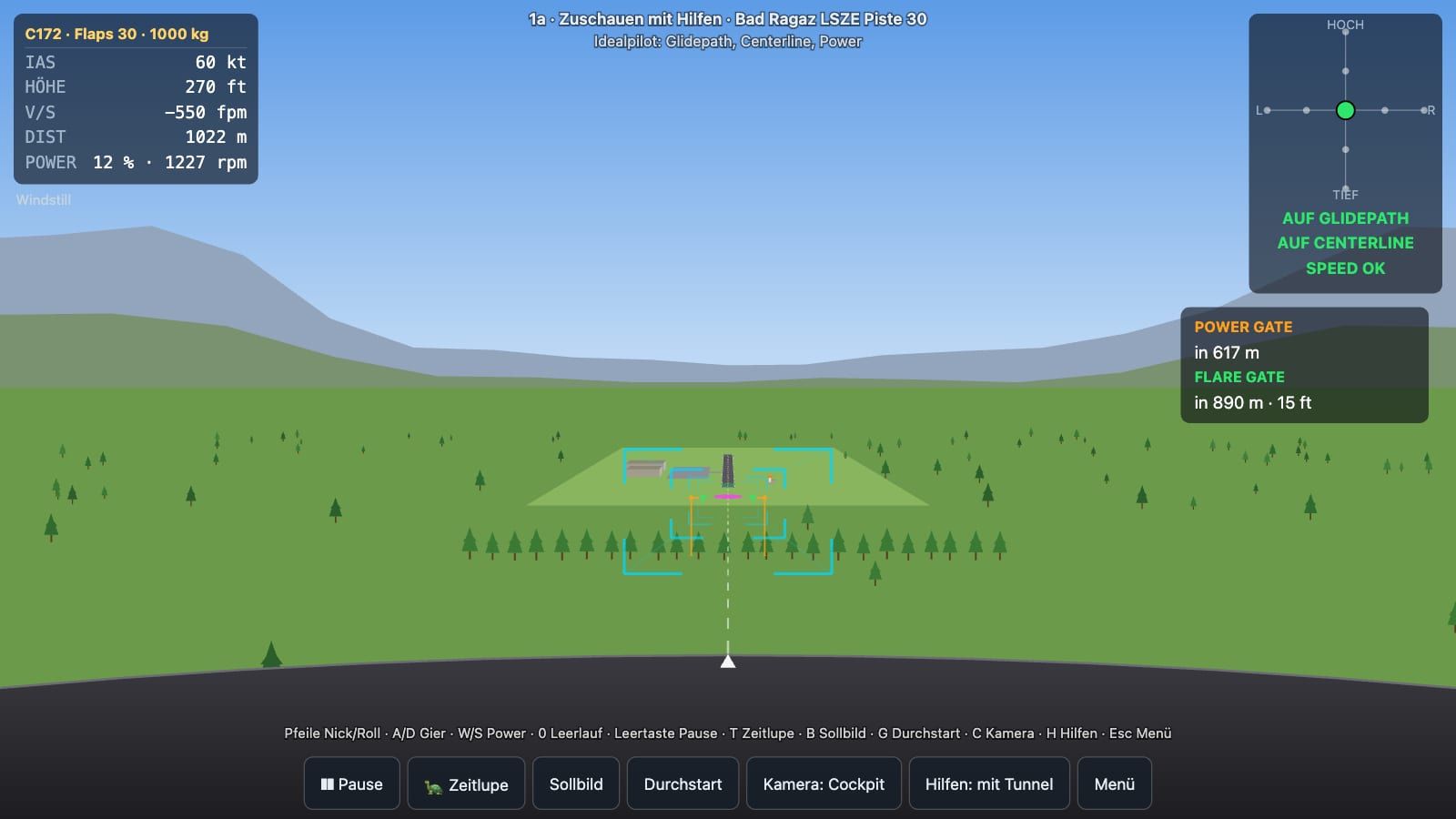
The approach to runway 30 is short and steep: 5 degrees because of the obstacles on final, aiming point 80 m before the threshold, touchdown within the first 50 m. The landing trainer practises exactly this picture and the decisions that go with it: aiming point, centreline, power gate and flare gate. An approach takes about 40 seconds, then the debriefing shows you where you were.
Landing trainer 1.1.0 of October 20, 2026 · made by Röbi Bebi, Fly4Fun Bad Ragaz · © 2026 Röbi Bebi, all rights reserved
The ideal pilot flies. You memorise the picture and then mark for yourself where the power gate and flare gate are.
You hold only the centreline, or only glide path and power. The ideal pilot flies the rest.
Everything yourself: first with gates and deviation display, then only with the picture, as in the aircraft.
Too high, too low, offset, head-, tail- and crosswind, gusts and random starts.
On a computer you fly with the keyboard, on a tablet or phone with the control cross and the power slider on screen. Hold your phone sideways. The trainer is in German for now.
The landing trainer replaces neither the simulator nor the flying lesson. It helps you get into the aircraft with the right picture in your head. It stores nothing: it asks for your name only if you like, and the name stays in your browser tab.